
Cloud PMS vs On-Premise: Complete 2026 Decision Guide for Hotels

Choosing between cloud and on-premise property management systems represents one of the most consequential technology decisions hotel operators make. The deployment model affects everything from upfront costs to daily operations, security posture, and your ability to adapt to changing guest expectations.
This guide examines both approaches in detail, helping you make an informed decision based on your property's specific needs, budget, and operational requirements.
Understanding Deployment Models
Modern cloud infrastructure enables hotels to access software from anywhere
Before diving into comparisons, it's essential to understand what each deployment model actually means for your hotel.
Cloud PMS (also called SaaS or hosted) runs on the vendor's servers and you access it through a web browser. You pay a monthly subscription, typically per room or user. The vendor handles all software updates, server maintenance, security patches, and infrastructure management. Examples include Mews, Cloudbeds, and Opera Cloud.
On-Premise PMS installs on servers you own and maintain at your property. You typically pay a large upfront license fee plus annual maintenance. Your IT team (or contracted provider) manages updates, backups, security, and hardware. Examples include traditional Opera PMS installations, Protel On-Premise, and legacy systems.
Hybrid models also exist, where core PMS runs on-premise but integrates with cloud services for specific functions like booking engines or mobile access. These offer some benefits of both models but add complexity.
The right choice depends on your property size, technical capabilities, budget structure, and operational priorities. Neither option is universally superior—context matters.
Cost Structure Comparison
 Total cost of ownership extends far beyond the initial price tag
The financial implications differ dramatically between deployment models and extend well beyond the obvious subscription versus license distinction.
Cloud PMS Costs
Monthly/Annual Fees: Predictable recurring costs, typically $2-15 per room per month depending on features and property size. Some charge per user instead of per room.
Implementation: Usually $500-5,000 depending on property size and complexity. Much lower than on-premise.
Hardware: Minimal—just computers, tablets, or terminals to access the web interface. No dedicated servers required.
IT Support: Significantly reduced need for in-house expertise. Vendor handles infrastructure, updates, and most troubleshooting.
Upgrades: Included in subscription. No additional cost for new features or version updates.
Hidden Costs: Reliable internet becomes critical. Some vendors charge extra for API access, additional modules, or premium support.
On-Premise PMS Costs
License Fee: Large upfront payment, typically $10,000-100,000+ depending on property size and module selection.
Servers & Hardware: $5,000-50,000 for servers, backup systems, networking equipment, and redundancy.
Implementation: $5,000-50,000+ for installation, configuration, training, and data migration.
Annual Maintenance: 15-22% of license cost annually for support and minor updates.
IT Staff: Dedicated personnel or managed services contract to handle servers, updates, backups, security patches.
Major Upgrades: Additional license fees when upgrading to new versions, often every 3-5 years.
Infrastructure: Ongoing costs for server room cooling, power, physical security, and replacement cycles.
Total Cost of Ownership
Over 5 years, cloud typically costs $40,000-300,000 depending on property size, while on-premise runs $100,000-500,000+. The breakeven point where on-premise becomes cheaper usually occurs at 7-10 years for larger properties (200+ rooms) with existing IT infrastructure.
However, this calculation ignores opportunity costs. On-premise ties up capital that could drive revenue through renovations, marketing, or guest experience improvements. Cloud converts capital expenditure to operational expenditure, preserving cash flow flexibility.
For detailed ROI calculations, see our hotel technology ROI guide.
Feature & Functionality Differences
 Cloud PMS systems typically offer modern, intuitive interfaces optimized for mobile devices
Feature parity between cloud and on-premise has narrowed significantly, but meaningful differences remain.
Cloud PMS Strengths
Continuous Updates: New features roll out automatically without disrupting operations. You benefit from vendor R&D immediately.
Mobile Access: Native support for tablets and smartphones. Staff can manage operations from anywhere on property.
Modern Integrations: Built with APIs first, making it easy to connect booking engines, channel managers, payment processors, and guest experience tools.
Multi-Property Management: Centralized visibility and control across portfolio, ideal for hotel groups.
Remote Access: Manage operations from anywhere with internet, crucial for owners, consultants, and distributed teams.
User Experience: Generally more intuitive interfaces designed for touch and modern workflows.
On-Premise PMS Strengths
Customization: Ability to modify software to exact specifications, though this creates upgrade complications.
Local Control: Complete control over when updates occur, important for properties with strict change management.
Offline Operation: Can continue basic functions without internet, though modern properties rarely lose connectivity.
Data Sovereignty: All guest data stays on your servers, potentially important for strict regulatory environments.
Performance: With proper hardware, can be faster for certain batch operations, though the gap has narrowed.
Legacy Integration: Sometimes easier to integrate with older, proprietary systems like key card encoders or PBX phones.
The Integration Factor
Cloud systems typically offer superior integration ecosystems. Vendors like Mews and Cloudbeds maintain marketplaces with hundreds of pre-built integrations covering booking engines, channel managers, payment gateways, reputation management, and guest communication.
On-premise systems often require custom API development for integrations, adding time and cost. However, mature on-premise platforms have extensive partner ecosystems built over decades.
For comprehensive PMS comparisons, review our best hotel PMS comparison 2026.
Security & Compliance Considerations
 Physical security is just one aspect of comprehensive PMS security
Security concerns often dominate the cloud versus on-premise debate, but the reality is nuanced and often counterintuitive.
Cloud PMS Security
Professional Management: Vendors employ dedicated security teams with expertise most hotels can't match in-house.
Infrastructure Security: Data centers feature physical security, redundancy, disaster recovery, and certifications (SOC 2, ISO 27001) individual hotels rarely achieve.
Automatic Patching: Security vulnerabilities get patched immediately across all customers without hotel action required.
Compliance Support: Vendors maintain PCI DSS compliance, GDPR tools, and regional data privacy requirements as part of their service.
Encryption: Data encrypted in transit and at rest as standard practice.
Risk Concentration: If the vendor suffers a breach, it affects all customers simultaneously. However, major vendors have better security than typical hotels.
On-Premise PMS Security
Control: Complete control over security policies, access, and data location.
Responsibility: Hotel responsible for all security measures—patching, firewalls, intrusion detection, physical security, backup encryption.
Resource Challenge: Few hotels have security expertise to properly configure and maintain systems. Misconfiguration is the leading cause of breaches.
Update Lag: Security patches often delayed weeks or months as hotels test compatibility with their specific configuration.
Physical Risk: On-site servers vulnerable to theft, fire, flood, and other physical disasters without proper disaster recovery.
Compliance Burden: Hotel must achieve and maintain PCI DSS, GDPR, and other compliance independently.
The Verdict
Ironically, cloud PMS typically provides stronger security for most hotels despite the perception that on-premise offers more control. Effective security requires expertise, resources, and vigilance that specialized vendors deliver better than individual properties.
The exception is properties with exceptional IT capabilities, strict data sovereignty requirements (certain government or military facilities), or regulations explicitly prohibiting cloud storage.
For cybersecurity best practices, see our guide on hotel cybersecurity essentials.
Implementation & Maintenance
 Successful implementation requires coordination between hotel staff and technology partners
The implementation process and ongoing maintenance requirements differ substantially between deployment models.
Cloud PMS Implementation
Timeline: Typically 2-8 weeks from contract to go-live, depending on property size and data migration complexity.
Process: Configuration happens remotely. Vendor provides training (usually virtual), data migration assistance, and support during cutover.
Disruption: Minimal. Can often run parallel with existing system until confident, then switch over a weekend.
Requirements: Reliable internet (minimum 10 Mbps per terminal, 50+ Mbps recommended), compatible devices, staff availability for training.
Support: Vendor provides ongoing phone/email/chat support, handles all backend maintenance transparently.
Updates: Automatic, usually monthly or quarterly. No hotel action required beyond reviewing release notes.
On-Premise Implementation
Timeline: 3-12 months from contract to full deployment, including hardware procurement, installation, configuration, and cutover.
Process: On-site hardware installation, extensive configuration, data migration, comprehensive training, parallel testing period.
Disruption: Significant. Requires dedicated IT resources, potential downtime during cutover, and extended learning curve.
Requirements: Server room with appropriate power/cooling, networking infrastructure, dedicated servers, backup systems, potentially redundant internet.
Support: Vendor provides phone support for software issues. Hotel responsible for hardware, servers, network, and infrastructure problems.
Updates: Manual process requiring testing, scheduling downtime, backing up data, and validation. Often delayed due to resource constraints.
Maintenance Realities
Cloud PMS maintenance is largely invisible to hotel staff. Servers, security patches, database optimization, and infrastructure upgrades happen automatically.
On-premise requires ongoing IT attention: Windows updates, SQL Server patching, antivirus updates, backup verification, hardware monitoring, capacity planning, and periodic hardware refresh cycles (every 4-7 years).
The hidden cost of on-premise isn't just IT salaries—it's the opportunity cost of technical staff focused on maintaining systems rather than improving guest experience or operational efficiency.
Scalability & Flexibility
 Growing hotels need PMS systems that scale effortlessly with their expansion
Business evolution demands different scalability characteristics from your PMS.
Cloud PMS Scalability
Room Count: Add or remove rooms from subscription with a simple request. Billing adjusts automatically.
Seasonal Staff: Scale user licenses up during high season, down during low periods. Pay only for what you use.
Multi-Property Growth: Add properties to the same platform seamlessly. Centralized reporting and management from day one.
Feature Expansion: Enable additional modules (revenue management, guest messaging, upselling) as needed without reinstallation.
Geographic Expansion: No infrastructure setup required for new locations—just internet access and devices.
Mergers & Acquisitions: Consolidate disparate properties onto single platform rapidly.
On-Premise Scalability
Room Count: License typically purchased in room tiers. Growing beyond your tier requires new license purchase and potential hardware upgrades.
User Licenses: Fixed license count. Adding users requires license purchases, often in blocks of 5 or 10.
Multi-Property: Each property typically requires separate installation, hardware, and maintenance. Consolidation requires significant infrastructure investment.
Feature Expansion: Module additions may require new license fees, additional server capacity, and separate implementation projects.
Hardware Constraints: Physical server capacity limits how much data and activity the system can handle. Scaling requires hardware upgrades.
Integration Limits: Legacy on-premise systems often struggle to integrate modern guest experience tools built for cloud platforms.
Strategic Flexibility
Cloud PMS provides strategic agility. Test new revenue strategies, integrate experimental guest experience tools, or pivot operational approaches without lengthy IT projects.
On-premise systems represent significant sunk costs that create organizational inertia. The investment already made discourages change even when the system no longer serves your needs optimally.
For properties anticipating growth, portfolio expansion, or rapid operational evolution, cloud platforms offer decisive advantages.
Internet Dependency & Reliability
 Reliable internet connectivity is the foundation of cloud PMS operations
The most cited concern about cloud PMS is internet dependency. This warrants careful examination.
Internet Dependency Reality
Cloud Requirement: Cloud PMS requires functional internet. If connectivity fails completely, you cannot access the system remotely, though local terminals may retain cached functionality.
On-Premise Advantage: Can operate entirely without internet, maintaining full functionality during outages.
Mitigation Strategies: Redundant internet (primary fiber + backup cable/cellular), UPS power backup, cached PMS data on local devices, and mobile hotspot failover.
Connectivity Improvements
Internet reliability has improved dramatically. Business-grade fiber connections achieve 99.9%+ uptime (less than 9 hours downtime annually). The gap between "always available" (on-premise) and "almost always available" (cloud) has narrowed.
Moreover, consider what operations you can perform without PMS access:
- Check guests in (manually, with paper backup)
- Assign rooms (pre-printed room status)
- Process payments (standalone terminals)
- Answer phones and take reservations (call log)
Critical operations have manual fallbacks. The question becomes: how often does internet fail, and is that risk worth the on-premise costs and limitations?
Real-World Context
Most cloud PMS downtime isn't internet failure—it's vendor outages. Reputable vendors maintain 99.5-99.9% uptime SLAs. On-premise systems also experience downtime from hardware failure, software issues, or Windows updates requiring reboots.
Properties in areas with unreliable connectivity (remote locations, developing markets, areas with frequent natural disasters) have legitimate reason to prefer on-premise. Urban and suburban hotels with modern infrastructure rarely experience connectivity issues that justify on-premise deployment solely for internet independence.
Decision Framework
 Making the right PMS decision requires careful analysis of your specific situation
Use this framework to determine which deployment model fits your property.
Choose Cloud PMS If:
- Property has fewer than 200 rooms (cloud economics are decisive)
- Limited IT staff or budget for technical infrastructure
- Need rapid implementation (under 3 months)
- Multi-property management or growth planned
- Modern integrations (booking engines, channel managers) are priorities
- Mobile access and remote management desired
- Prefer predictable operational expenses over capital expenditure
- Want automatic updates and latest features
- Reliable internet connectivity available (99%+ uptime)
- Prioritize agility and ability to change systems if needs evolve
Choose On-Premise If:
- Large property (500+ rooms) with existing IT infrastructure and expertise
- Regulatory or data sovereignty requirements mandate on-site data
- Extremely stable operations with infrequent changes
- Internet connectivity consistently unreliable (remote locations)
- Very long-term commitment (10+ years) makes ownership economics favorable
- Deep customization requirements that cloud platforms can't accommodate
- Existing on-premise investment and recent upgrade makes switching costly
- Organization has philosophical preference for asset ownership
Hybrid Options
Some properties benefit from hybrid approaches:
- Core PMS on-premise with cloud modules for booking, mobile apps, or guest messaging
- Phased migration starting with cloud booking engine, then channel manager, eventually full cloud PMS
- Cloud PMS with local caching/failover capabilities for internet redundancy
Hybrids add complexity but can address specific constraints while capturing some cloud benefits.
Migration Considerations
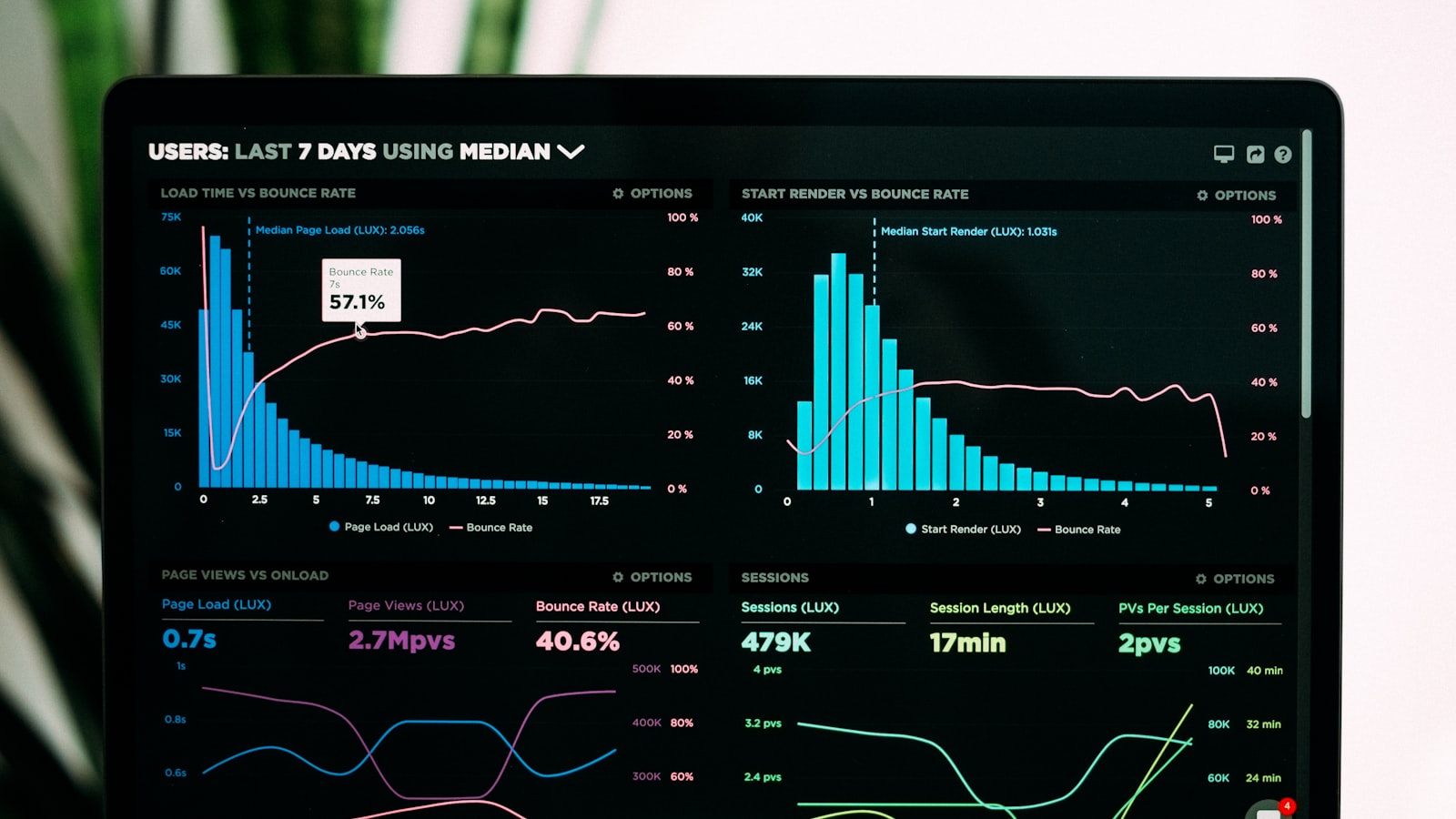 Successful migration requires careful planning and data validation
If switching from on-premise to cloud (or vice versa), plan carefully for the transition.
Data Migration
Historical Data: Determine how much history to migrate (typically 2-5 years of reservations, guest profiles, financial data).
Data Cleaning: Migration is the perfect time to eliminate duplicate profiles, invalid email addresses, and outdated information.
Validation: Thoroughly test migrated data before cutover. Verify reservation details, billing accuracy, and guest profile integrity.
Training: Staff must learn new workflows. Budget adequate training time and expect productivity dips during the learning period.
Cutover Strategy
Hard Cutover: Stop using old system Friday night, start new system Monday morning. Risky but fast.
Parallel Operation: Run both systems simultaneously for days or weeks. Labor-intensive but safer.
Phased Rollout: Migrate functionality in stages (reservations, then check-in, then night audit, etc.). Reduces risk but extends timeline.
Integration Reconfiguration
Changing PMS often requires reconfiguring or replacing:
- Channel manager connections
- Booking engine integration
- Payment processor setup
- Door lock systems
- Revenue management interfaces
Budget time and cost for these adjustments. Some vendors include integration setup in implementation fees; others charge separately.
For detailed migration guidance, see PMS data migration guide.
Conclusion
 Your PMS choice impacts every aspect of hotel operations for years to come
The cloud versus on-premise decision is no longer about whether cloud PMS can match on-premise functionality—that gap has closed for all but the most specialized requirements. Today's choice centers on economics, strategic flexibility, and organizational capabilities.
For most hotels, especially properties under 200 rooms, cloud PMS delivers superior value. Lower upfront costs, automatic updates, modern integrations, and reduced IT burden outweigh any remaining on-premise advantages.
Larger properties with established IT infrastructure should analyze total cost of ownership over realistic timeframes (5-7 years) and honestly assess whether on-premise capabilities justify the additional complexity and resource requirements.
Internet dependency concerns are legitimate but often overstated. Connectivity reliability has improved to the point where downtime risk rarely justifies on-premise deployment in markets with modern infrastructure.
The trend is unmistakable: cloud PMS adoption accelerates while on-premise installations decline. Vendors increasingly focus development resources on cloud platforms. The ecosystem of integrations, innovations, and capabilities centers on cloud-first solutions.
Unless specific circumstances demand on-premise deployment, the strategic choice for hotels planning for the next decade points decisively toward cloud.
Frequently Asked Questions
Is cloud PMS secure enough for sensitive guest data?
Yes. Reputable cloud PMS vendors typically provide stronger security than individual hotels can achieve with on-premise systems. They employ dedicated security teams, maintain certifications (SOC 2, ISO 27001, PCI DSS), encrypt data in transit and at rest, and patch vulnerabilities immediately. The perception that on-premise is more secure stems from the illusion of control, but effective security requires expertise most hotels lack. Major vendors like Oracle, Mews, and Cloudbeds have better security infrastructure than typical hotels can implement independently.
What happens if the internet goes down with cloud PMS?
Most modern cloud PMS platforms cache essential data locally, allowing basic operations like check-ins and room assignments even during brief outages. For critical operations, implement redundant internet (fiber primary, cable or cellular backup) to achieve 99.9%+ connectivity. Realistic assessment: with business-grade internet, complete outages are rare (hours per year, not days). Hotels should maintain manual backup procedures for the extremely unlikely scenario of prolonged outage, but this risk is often overstated compared to the operational benefits cloud platforms deliver.
Can I switch from on-premise to cloud later if I change my mind?
Yes, though migration requires planning and effort. Cloud vendors typically provide data migration assistance as part of implementation. The process involves exporting reservation history, guest profiles, and configuration from your on-premise system, then importing to the cloud platform. Budget 2-8 weeks for migration depending on data volume and complexity. The transition is more disruptive than starting with cloud, so carefully evaluate your long-term needs before committing to on-premise. However, switching is definitely possible and many hotels successfully migrate from legacy on-premise to modern cloud platforms.
How much does cloud PMS really cost compared to on-premise over 5 years?
For a 100-room hotel, cloud PMS typically costs $60,000-120,000 over 5 years ($1,000-2,000/month subscription). On-premise costs $120,000-250,000+ over the same period ($50,000 license + $20,000 implementation + $40,000 hardware + $10,000/year maintenance + IT support). Cloud becomes increasingly cost-effective for smaller properties. The break-even where on-premise becomes cheaper typically occurs at 7-10 years for large properties (200+ rooms) with existing IT infrastructure. However, this calculation ignores opportunity cost—capital tied up in on-premise could drive revenue through guest experience improvements or marketing.
Do I need IT staff for cloud PMS?
Basic IT support is helpful but not required. Cloud vendors handle server management, security patches, software updates, and infrastructure maintenance. You need someone who can troubleshoot basic computer issues (browser problems, printer configuration, Wi-Fi connectivity), but not specialists in server administration, database management, or network security. Many smaller hotels operate cloud PMS with general managers who handle basic tech support or use remote IT support services. On-premise PMS requires dedicated IT staff or managed services contracts—a significant cost difference.
Can cloud PMS integrate with my existing systems?
Modern cloud PMS platforms offer extensive integration ecosystems covering booking engines, channel managers, payment processors, revenue management, door locks, PBX systems, and guest experience tools. Reputable vendors maintain marketplaces with hundreds of pre-built integrations. Legacy on-premise integrations often require custom API development and ongoing maintenance. Review the vendor's integration marketplace during evaluation—platforms like our hotel API integration guide help identify connectivity capabilities. Most hotels find cloud platforms offer superior integration options compared to aging on-premise systems.
More Articles

Best Mobile PMS Apps for Hotels in 2026: Manage from Anywhere
Compare the top mobile hotel PMS apps for iOS and Android in 2026. Discover which property management systems offer the best mobile functionality for hotel staff on the go.

Best Contactless Hotel Check-In Software in 2026: Complete Guide
Compare the top contactless check-in solutions for hotels in 2026. Discover how self-service kiosks, mobile check-in, and digital keys improve guest experience and reduce front desk workload.

Hotel Data Analytics and Reporting Software: Complete Guide 2026
Discover the best hotel analytics and business intelligence software in 2026. Learn how data-driven insights improve revenue, operations, and guest satisfaction at your property.