
Channel Manager Implementation: Complete 2026 Setup Guide for Hotels

Channel managers represent the central nervous system of hotel distribution, synchronizing inventory and rates across dozens of online travel agencies, metasearch engines, GDS, and direct booking channels. Proper implementation determines whether you maximize revenue across all channels or suffer from overbookings, rate parity violations, and manual update nightmares.
Yet channel manager implementation failures remain common. Properties rush deployment, skip crucial testing, or fail to configure channel-specific rules properly. The result: lost bookings, frustrated guests turned away due to overbookings, and hours wasted manually correcting synchronization errors.
This comprehensive guide walks through every phase of channel manager implementation, from initial planning through post-launch optimization, helping you avoid common pitfalls and achieve successful deployment.
Pre-Implementation Planning
Thorough planning prevents implementation failures and ensures smooth deployment
Successful implementation starts weeks before platform configuration begins. Inadequate planning creates problems that compound throughout deployment.
Assess Current Distribution
Document Existing Channels: List every channel where your property currently appears—OTAs (Booking.com, Expedia, Airbnb), GDS (Amadeus, Sabre), metasearch (Google Hotel Ads, TripAdvisor), wholesalers, and direct channels.
Identify Manual Processes: Where do you currently update rates and inventory manually? How much staff time does this consume weekly? What errors occur frequently?
Analyze Performance: Review the past 6-12 months of bookings by channel. Which channels drive the most revenue? Which have the best conversion rates? Which consistently cause overbookings or rate parity issues?
Define Pain Points: Clearly articulate what's broken with current distribution management. Common issues include:
- Overbookings requiring guest relocation
- Hours spent updating rates across channels manually
- Rate parity violations triggering OTA penalties
- Missed revenue opportunities when channels aren't updated promptly
- Inability to quickly adjust pricing across all channels
Set Clear Objectives
Primary Goals: What outcomes will define implementation success?
- Eliminate overbookings
- Reduce manual update time by X hours weekly
- Expand to Y additional channels
- Achieve rate parity across all channels
- Enable dynamic pricing capabilities
- Improve RevPAR by Z%
Success Metrics: Define measurable KPIs to track progress:
- Overbooking frequency (target: zero)
- Manual update time reduction (target: 80%+)
- Rate synchronization lag time (target: under 5 minutes)
- Channel coverage (target: X channels live)
- RevPAR improvement (target: 5-15% year-over-year)
Timeline: Establish realistic implementation timeline. Typical deployments require 4-8 weeks:
- Week 1-2: Planning and preparation
- Week 2-4: Platform configuration and integration
- Week 4-6: Testing and validation
- Week 6-8: Staff training and go-live
Choose the Right Platform
If you haven't yet selected a channel manager, evaluate options based on:
PMS Integration: Verify native integration with your property management system. Quality of PMS integration is the single most important factor—poor integration creates more problems than it solves.
Channel Coverage: Ensure the platform connects to your priority channels. Major platforms like SiteMinder, Cloudbeds, and RateGain offer 200-500+ channel connections.
Pricing Structure: Compare subscription models (monthly fees per room) versus transaction fees (commission per booking). Calculate total cost over 12-24 months based on your booking volume.
Support Quality: Implementation success depends heavily on vendor support quality. Read reviews focusing specifically on implementation and support experiences.
For platform comparisons, see our best hotel channel managers 2026 guide.
Assemble Your Implementation Team
Internal Stakeholders:
- Revenue Manager (owns rate strategy and channel performance)
- Front Desk Manager (handles overbookings and guest communication)
- General Manager (final decision authority)
- IT Contact (manages PMS integration and troubleshooting)
External Partners:
- Channel Manager Vendor (implementation specialist)
- PMS Vendor (integration support)
- OTA Account Managers (credential access and validation)
Roles and Responsibilities: Clearly define who handles what. Ambiguity causes delays and missed steps.
Step 1: Platform Configuration
 Proper platform configuration forms the foundation for all channel distribution
Platform configuration establishes the structure that governs how your inventory distributes across channels.
Account Setup
Create Platform Account: Complete registration with your chosen channel manager. Provide accurate property information—corrections after go-live cause synchronization problems.
Property Profile: Enter complete property details:
- Exact property name (must match OTA listings)
- Full address with proper formatting
- Contact information
- Property type and star rating
- Check-in/check-out times
- Policies (cancellation, children, pets, extra guests)
Verify Information Accuracy: Inconsistencies between channel manager property profile and OTA listings create mapping errors. Double-check every field.
Room Inventory Structure
Define Room Types: Create room type hierarchy matching your PMS exactly:
- Standard Room (1 King / 2 Queens)
- Deluxe Room (King)
- Suite (1 Bedroom)
- Accessible rooms (note ADA features)
Room Type Mapping: Map PMS room types to channel manager inventory codes. This mapping must be perfect—errors cause inventory synchronization failures.
Occupancy Settings: Configure maximum occupancy for each room type (adults + children). Some channels require separate adult and child capacities.
Room Amenities: Add detailed amenity descriptions (WiFi, TV size, coffee maker, minibar, balcony, view type). Many OTAs pull amenity data from channel managers.
Rate Plan Configuration
Base Rate Plans: Set up foundational rate plans:
- Best Available Rate (BAR) - your public rate
- Non-Refundable - discounted rate with strict cancellation
- Member Rate - loyalty program discount
- Corporate Rate - negotiated business rates
- Package Rates - room + breakfast, room + parking, etc.
Rate Plan Hierarchy: Define relationships between rate plans. Typically:
- BAR = 100% (baseline)
- Non-Refundable = BAR - 10-15%
- Member Rate = BAR - 5-10%
- Corporate = negotiated fixed rate or BAR - percentage
Cancellation Policies: Configure cancellation rules for each rate plan:
- Flexible: Cancel up to 6 PM day of arrival
- Moderate: Cancel 48-72 hours before arrival
- Strict: Cancel 7+ days before arrival, or forfeit first night
- Non-Refundable: No cancellations or changes
Meal Plans: Set up meal inclusions:
- Room Only (RO)
- Bed & Breakfast (BB)
- Half Board (HB) - breakfast + dinner
- Full Board (FB) - all meals
- All Inclusive (AI)
Restriction Rules
Minimum/Maximum Stay: Configure stay restrictions by rate plan and date range:
- Minimum 2-night stay for weekends
- Maximum 14-night stay for discounted rates
- Special event minimums (3+ nights for conferences)
Close to Arrival/Departure (CTA/CTD): Prevent check-ins or check-outs on specific dates to optimize occupancy patterns.
Stop Sell: Ability to close inventory on specific channels or rate plans while keeping others open.
Availability Allocation: Set aside rooms for specific channels or direct bookings only.
For detailed channel manager options, review our best hotel channel managers 2026 comparison.
Step 2: PMS Integration Setup
 Seamless PMS integration is the most critical success factor for channel managers
PMS integration quality makes or breaks channel manager effectiveness. This step requires careful attention and thorough testing.
Integration Method
Two-Way XML Integration: Preferred method. Real-time bidirectional communication:
- PMS → Channel Manager: Inventory, rates, restrictions
- Channel Manager → PMS: Reservations, modifications, cancellations
iCal Integration: Limited fallback option for basic inventory sync. Lacks rate and restriction capabilities. Only use if XML unavailable.
API Integration: Modern cloud PMS platforms typically offer REST API integration. Similar capabilities to XML with better reliability.
Integration Configuration
Obtain PMS Credentials: Request integration credentials from your PMS vendor:
- API endpoint URL
- Property ID/code
- Authentication credentials (username/password or API key)
- Integration documentation
Configure Channel Manager: Enter PMS credentials in channel manager integration settings. Most platforms provide step-by-step wizards.
Mapping Validation: Verify all mappings are correct:
- Room types (PMS → Channel Manager)
- Rate plans (PMS → Channel Manager)
- Reservation status codes
- Guest profile fields
- Payment information fields
Test Integration Thoroughly
Inventory Sync Test:
- Adjust inventory in PMS (change rooms available for specific date)
- Wait for sync interval (typically 1-5 minutes)
- Verify inventory updated correctly in channel manager
- Check that change propagated to at least one connected channel
Rate Update Test:
- Update rates in PMS for specific room type and date range
- Confirm rates appear correctly in channel manager
- Verify rates updated on connected channels
- Test multiple rate plans to ensure all sync properly
Restriction Test:
- Add minimum night stay restriction in PMS
- Verify restriction appears in channel manager
- Confirm restriction enforced on booking channels
- Test with CTA, CTD, and stop sell restrictions
Reservation Flow Test:
- Make test booking on connected channel (use test mode if available)
- Verify booking appears in channel manager
- Confirm reservation created in PMS with correct details:
- Guest name, contact information
- Arrival/departure dates
- Room type, rate plan
- Total charges
- Payment information
- Test modification: change dates, guest name
- Test cancellation: cancel booking and verify in both systems
Never skip integration testing. Problems discovered after go-live create guest-facing issues and emergency troubleshooting scenarios.
Step 3: Channel Connections
 Each channel connection requires specific configuration and credential management
Connecting individual OTA and distribution channels requires methodical attention to detail.
Prioritize Channel Connections
Launch Sequence: Don't connect all channels simultaneously. Staged rollout reduces complexity:
Phase 1 (Week 1): Major OTAs generating highest revenue
- Booking.com
- Expedia
- Connect 2-3 channels maximum initially
Phase 2 (Week 2-3): Secondary OTAs
- Airbnb
- Agoda
- Hotels.com (if not using Expedia connectivity)
Phase 3 (Week 4+): Niche channels and metasearch
- Regional OTAs
- Google Hotel Ads
- TripAdvisor
- Specialty channels
Staged approach allows you to validate each connection thoroughly before adding complexity.
Connection Process Per Channel
Obtain Channel Credentials: Contact each OTA to request channel manager connection:
- Property ID/hotel code
- Extranet login credentials
- API credentials if required
- Confirm channel manager vendor is approved partner
Configure Channel in Platform: Enter channel credentials in channel manager:
- Property ID/code
- Authentication details
- Select which room types to map
- Choose which rate plans to distribute
Room Type Mapping: Map your property's room types to channel's room categories:
- Your "Deluxe King" → Channel's "Superior Double Room"
- Your "Suite" → Channel's "Junior Suite"
- Create new room types on channel if mapping doesn't exist
Rate Plan Mapping: Connect your rate plans to channel's rate structure:
- BAR → Public Rate
- Non-Refundable → Special Offer
- Breakfast Included → Room with Breakfast
Content Verification: Ensure room descriptions, photos, and amenities are accurate on channel:
- Upload missing photos
- Update outdated descriptions
- Verify amenity lists
- Check policy information
Content Synchronization
Some channel managers push content (descriptions, images, amenities) to channels automatically. Others require manual updates on each channel's extranet.
Unified Content Management: If your channel manager offers content distribution, use it to maintain consistency:
- Write room descriptions once, push to all channels
- Upload photos to channel manager, distribute everywhere
- Update amenities centrally rather than per channel
Manual Content Updates: For channels requiring extranet management:
- Create standardized description templates
- Maintain image library organized by room type
- Schedule quarterly content reviews to ensure accuracy
Step 4: Testing & Validation
 Comprehensive testing prevents guest-facing problems and revenue losses
Thorough testing before full launch prevents catastrophic problems with real guest bookings.
Inventory Synchronization Testing
Test Scenarios:
Same-Day Booking Impact:
- Set starting inventory to 10 rooms available
- Create manual reservation in PMS (reducing to 9)
- Verify all channels update to 9 within sync interval
- Make booking on Channel A (reducing to 8)
- Confirm PMS and all other channels show 8
Rate Changes Across Date Ranges:
- Update rates for next 90 days
- Verify changes appear on all channels within 5 minutes
- Check both channel manager interface and actual OTA booking paths
- Test rate changes for different room types and rate plans
Restriction Application:
- Set 2-night minimum stay for upcoming weekend
- Attempt to book 1 night on each channel (should fail)
- Confirm 2+ night bookings succeed
- Test various restriction combinations
Stop Sell Functionality:
- Close specific rate plan on specific channel
- Verify other rate plans remain bookable on that channel
- Confirm closed rate plan still bookable on other channels
Overbooking Prevention Testing
Critical Test: This test validates the most important channel manager function—preventing overbookings.
- Reduce inventory to 1 room available for specific date
- Simultaneously attempt bookings on 2 different channels
- Expected Result: One booking succeeds, second fails or goes to waitlist
- Verify inventory updates to zero after first booking
- Confirm additional booking attempts correctly show sold out
Stress Test: If possible, test with higher volumes:
- Set 5 rooms available
- Attempt 10 simultaneous bookings across multiple channels
- Verify exactly 5 bookings succeed, 5 fail
- Confirm accurate inventory tracking throughout
Overbooking prevention is non-negotiable. If testing reveals inventory sync delays allowing overbookings, do not go live until the issue is resolved.
Rate Parity Validation
Cross-Channel Rate Check:
- Select 3-5 random future dates
- Check rates on your website, Booking.com, Expedia, and other major channels
- Verify rates match exactly (accounting for any intentional discrepancies)
- Test different room types and rate plans
Dynamic Rate Updates:
- Change rates in PMS
- Wait for sync
- Check all channels reflect new rates
- Verify no orphaned old rates remain on any channel
Rate parity violations trigger OTA penalties and damage relationships. Ensure perfect synchronization before launch.
Reservation Flow Testing
End-to-End Booking Validation:
Test Booking: Make actual test reservation (use test modes where available, or book refundable rate and cancel):
- Guest completes booking on OTA
- Booking appears in channel manager within 1-5 minutes
- Reservation created in PMS with accurate:
- Guest information
- Stay dates
- Room type and rate
- Total charges
- Special requests
- Confirmation email sent to guest with correct details
- Inventory reduced appropriately across all channels
Test Modification:
- Guest (or OTA support) modifies reservation dates
- Change appears in channel manager
- PMS reservation updated correctly
- New confirmation sent
- Inventory adjusted (old dates released, new dates decremented)
Test Cancellation:
- Guest cancels reservation
- Cancellation appears in channel manager
- PMS reservation marked cancelled
- Cancellation confirmation sent
- Inventory released back to available pool
- Cancellation policy correctly applied (charges if applicable)
Common Integration Failures to Watch For:
- Reservations appearing in channel manager but not reaching PMS
- Incorrect date formatting (European vs American date formats)
- Missing special requests or guest notes
- Payment information not transferring properly
- Inventory not releasing after cancellation
For implementation best practices, see our hotel PMS implementation guide.
Step 5: Staff Training
 Staff competency determines whether you fully leverage channel manager capabilities
Technology succeeds only when staff understand and use it properly. Inadequate training undermines even perfect implementation.
Training Curriculum
For Revenue Managers/GMs:
- Rate and inventory management
- Restriction rule creation and management
- Performance analytics and reporting
- Channel-specific optimizations
- Troubleshooting synchronization issues
- Strategic use of stop sells and allocations
For Front Desk Staff:
- Understanding which bookings come from which channels
- Handling guest issues related to OTA bookings
- What to do when guest's booking doesn't appear in PMS
- Basic channel manager interface navigation
- Escalation procedures for technical problems
For Reservations Team:
- Creating and managing manual reservations without impacting channel inventory
- Understanding how their actions affect channel availability
- Group block management
- Special rate and package handling
Training Methods
Hands-On Practice: Theoretical knowledge isn't enough. Staff need to actually:
- Update rates and see changes propagate
- Create restrictions and test on booking channels
- Process test reservations from creation through check-out
- Practice troubleshooting common issues
Scenario-Based Learning: Walk through realistic situations:
- "High-demand weekend approaching, how do you adjust rates and restrictions?"
- "Guest calls saying they can't book your hotel on Booking.com—how do you diagnose?"
- "You need to take 10 rooms out of inventory for renovation—how do you adjust?"
Documentation: Create quick-reference guides:
- Common tasks with step-by-step screenshots
- Troubleshooting decision trees
- Vendor contact information and escalation paths
- Policy guidelines (when to stop sell, rate adjustment authority, etc.)
Ongoing Education
Weekly Check-Ins (First Month): Schedule brief weekly meetings to:
- Review any issues encountered
- Share wins and successes
- Address questions
- Introduce additional features gradually
Monthly Performance Reviews: Analyze:
- Channel performance trends
- Any overbookings or synchronization issues
- Rate parity compliance
- Opportunities for optimization
Vendor Training Resources: Most channel manager vendors offer:
- Webinars on advanced features
- User conferences
- Certification programs
- Online knowledge bases
Invest in education. Staff expertise multiplies technology value.
Step 6: Go-Live Strategy
 Strategic launch timing minimizes risk and ensures smooth transition
Go-live timing and approach significantly impact implementation success.
Launch Timing
Choose Low-Occupancy Period: Launch during slower business periods to reduce risk:
- Avoid holidays and special events
- Select weekday rather than weekend if possible
- Ensure adequate staff availability for monitoring
Avoid Major Rate Changes: Don't combine go-live with significant pricing adjustments. Keep rates stable during transition to isolate any issues to the channel manager itself.
Plan for Support Availability: Confirm vendor support is available during your go-live window. Avoid launching Friday evening when support may be limited through the weekend.
Phased vs. Full Launch
Phased Launch (Recommended):
- Go live with 2-3 major channels first
- Monitor for 3-5 days
- Add additional channels in waves
- Lower risk, easier troubleshooting
- Total rollout over 2-3 weeks
Full Launch:
- All channels live simultaneously
- Faster time to full operation
- Higher complexity and risk
- Requires very thorough testing
- Consider only if very confident in testing results
Launch Day Checklist
Morning of Launch:
- Verify all test bookings processed correctly
- Confirm PMS integration functioning properly
- Check all channel credentials still valid
- Verify starting inventory counts are accurate
- Ensure all staff trained and available
- Confirm vendor support contact information handy
Go-Live:
- Enable channels in sequence (15-30 minutes apart)
- Monitor channel manager interface for incoming reservations
- Verify reservations appearing in PMS
- Check inventory decrements appropriately
- Confirm rate changes propagate correctly
- Test modification and cancellation flow with first few bookings
First 24 Hours:
- Monitor continuously for issues
- Process all incoming reservations immediately
- Document any anomalies
- Contact vendor support for any concerns immediately
- Brief all shifts on status and what to watch for
First Week:
- Daily inventory accuracy checks
- Rate parity monitoring across all channels
- Review all reservations for accuracy
- Track any guest issues related to bookings
- Schedule daily team huddles to share observations
Step 7: Monitoring & Optimization
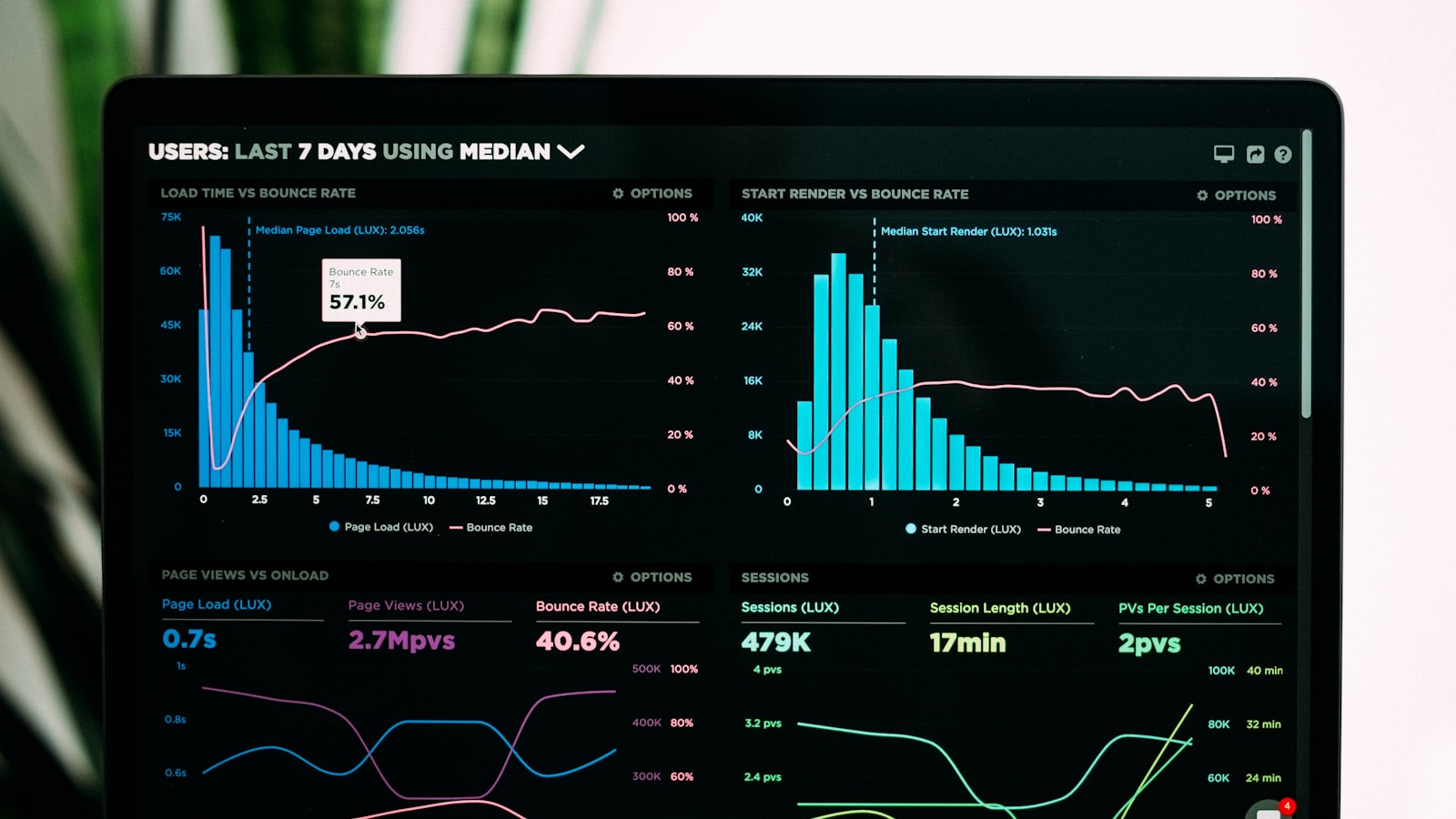 Continuous monitoring ensures channel manager delivers promised results
Implementation doesn't end at go-live. Ongoing monitoring and optimization maximize value.
Daily Monitoring (First Month)
Inventory Accuracy:
- Compare channel manager inventory to PMS inventory
- Check a sampling of dates across next 90 days
- Verify inventory matches on at least 2 actual OTA sites
- Any discrepancies require immediate investigation
Reservation Processing:
- Confirm all OTA bookings appeared in PMS within expected timeframe
- Verify reservation details accurate (dates, rates, guest info)
- Check that inventory decremented correctly
- Ensure confirmations sent to guests
Rate Parity:
- Spot-check rates on multiple channels
- Verify rates match your intended pricing
- Look for orphaned old rates not properly updated
- Ensure rate plan mappings working correctly
Weekly Performance Analysis
Channel Performance:
- Bookings by channel
- Revenue by channel
- Conversion rates where available
- Average booking value by channel
- Cancellation rates by channel
Error Log Review:
- Check channel manager error logs
- Investigate any synchronization failures
- Address credential expiration warnings
- Review and resolve mapping errors
Rate Optimization:
- Analyze which rate plans performing best
- Test rate adjustments and measure impact
- Experiment with restrictions to optimize occupancy patterns
- Review competitive set pricing
Monthly Optimization
Channel Strategy Refinement:
- Evaluate whether all channels delivering ROI
- Consider adding new channels based on market opportunity
- Adjust commission structures and promotions
- Optimize inventory allocation by channel
Content Updates:
- Refresh property descriptions
- Add new photography
- Update amenity lists
- Review policies for accuracy
Staff Performance:
- Assess staff comfort level with platform
- Identify additional training needs
- Share best practices across team
- Recognize excellent performance
Quarterly Business Review
Strategic Assessment:
- Overall distribution strategy effectiveness
- Total cost of ownership vs. value delivered
- Channel mix optimization
- Integration with revenue management and PMS
- Platform satisfaction and any vendor concerns
Vendor Relationship:
- Review support quality and responsiveness
- Discuss new features and roadmap
- Negotiate contract terms if approaching renewal
- Consider whether platform still meets evolving needs
For ongoing channel optimization, see our best hotel channel managers 2026 guide.
Common Implementation Pitfalls
Awareness of common mistakes helps you avoid them:
Rushing Integration Testing
Mistake: "Integration looks good enough, let's go live."
Impact: Reservation failures, overbookings, angry guests, emergency troubleshooting.
Solution: Test exhaustively. Multiple test bookings, modifications, and cancellations before going live.
Inadequate Staff Training
Mistake: "The revenue manager understands it, that's enough."
Impact: Front desk can't help guests with booking issues, opportunities for optimization missed, staff workaround rather than use system properly.
Solution: Train all stakeholders thoroughly with hands-on practice.
Connecting All Channels Simultaneously
Mistake: "Let's turn on all 20 channels at once."
Impact: Issues difficult to diagnose, overwhelming complexity, higher overbooking risk during learning period.
Solution: Phased launch starting with top 2-3 channels, add more after validation.
Ignoring Content Quality
Mistake: "Connectivity is all that matters."
Impact: Accurate inventory sync but poor conversion due to bad photos, outdated descriptions, or missing amenities.
Solution: Audit and update content on all channels as part of implementation.
Insufficient Monitoring
Mistake: "It's working, no need to check daily."
Impact: Silent failures accumulate, rate parity violations develop, inventory drift creates overbookings.
Solution: Daily monitoring first month, weekly thereafter, with automated alerts for critical issues.
Neglecting PMS Integration Quality
Mistake: "The integration is set up, good enough."
Impact: Slow synchronization, data mapping errors, reservation processing failures.
Solution: Test PMS integration as rigorously as channel connections. Monitor integration health continuously.
Conclusion
Channel manager implementation success depends on methodical planning, thorough testing, comprehensive training, and continuous monitoring. The platforms themselves are sophisticated and reliable—most implementation failures stem from rushing deployment, skipping validation steps, or inadequate staff preparation.
The implementation process outlined in this guide—4 to 8 weeks from planning through full launch—isn't excessive. It's the minimum timeline for professional deployment that protects against overbookings, revenue leakage, and guest satisfaction disasters.
Invest the time to implement correctly. A few extra weeks of careful deployment pays dividends for years through reliable performance, staff confidence, and revenue optimization across all distribution channels.
Properties that follow this structured approach consistently achieve:
- Zero overbookings from channel synchronization issues
- 90%+ reduction in manual rate and inventory update time
- Expansion to additional channels within 3-6 months of launch
- 5-15% RevPAR improvement through better distribution management
- Strong staff competency and system adoption
Your channel manager investment only delivers value if implemented properly. Follow this guide, don't skip steps under time pressure, test thoroughly, train comprehensively, and monitor continuously. The result will be a distribution engine that maximizes revenue while minimizing operational burden.
Frequently Asked Questions
How long does channel manager implementation really take?
Plan for 4-8 weeks minimum from contract signing to full launch. Week 1-2: planning, credential gathering, and team alignment. Week 2-4: platform configuration, PMS integration setup, and initial channel connections. Week 4-6: extensive testing and validation. Week 6-8: staff training and phased go-live. Some simple implementations with limited channels complete faster (3-4 weeks), while complex multi-property deployments require 10-12 weeks. Rushing implementation creates problems that cost far more time to fix than investing in proper deployment. For detailed implementation planning, see our hotel PMS implementation guide.
Can I implement channel manager myself or do I need the vendor?
Most implementations benefit from vendor involvement, especially for PMS integration and initial channel connections. However, technical staff can handle simpler deployments with good documentation. DIY approach works if: you have IT experience, PMS vendor provides clear integration documentation, you're comfortable troubleshooting technical issues, and you start with just 2-3 channels. Vendor assistance recommended if: complex PMS integration required, connecting 5+ channels simultaneously, limited technical expertise in-house, or tight timeline demands expertise. Most vendors include implementation support in setup fees. Use it—their experience prevents common pitfalls.
What happens to existing OTA listings during implementation?
Your existing OTA listings remain active throughout implementation. Channel manager doesn't replace listings—it synchronizes inventory and rates to them. During transition: keep updating rates/inventory through current process (OTA extranets or existing channel manager) until new channel manager connection is validated and live. Run parallel for 3-5 days to ensure new channel manager updates work correctly before stopping manual updates. Never disconnect old system before thoroughly validating new one. This overlap period prevents availability gaps that lose bookings.
How do I handle the transition period to avoid overbookings?
Critical transition strategy: 1) Continue current manual updates until new channel manager fully validated. 2) Test new channel manager with limited channels first (use test accounts where possible). 3) Once testing confirms proper synchronization, gradually shift channels to new system. 4) During overlap, you may update rates/inventory twice (once in PMS, once in old system) temporarily—accept this temporary inefficiency to prevent overbookings. 5) Monitor inventory closely across all channels during transition. 6) Set inventory slightly conservative (hold back 1-2 rooms) during transition period. The 3-5 day overlap with careful monitoring prevents disasters.
What if my PMS doesn't integrate with my preferred channel manager?
Check integration quality carefully—"supports integration" ranges from robust two-way XML to limited iCal sync. If your preferred channel manager lacks strong PMS integration: Option 1: Choose different channel manager with better PMS support—integration quality is more important than specific channel manager features. Option 2: Ask both vendors about developing integration—some vendors build custom connections for committed customers. Option 3: Use middleware integration platform (like Zapier or custom API integration) though this adds complexity. Option 4: Accept manual PMS entry—channel manager still provides value managing OTA distribution even if PMS integration is manual. For integration considerations, see our hotel API integration platforms guide.
How much should I budget for channel manager implementation?
Total implementation costs include: Setup fees: $500-5,000 depending on vendor and complexity. Monthly subscription: $50-500+ monthly based on room count and features. PMS integration: Usually included, but some charge $500-2,000 for custom integration. OTA connection fees: Usually included, occasionally $50-100 per channel. Training time: Internal cost of staff time (20-40 hours across team). Testing period inventory holds: Opportunity cost of holding rooms conservatively during testing. Typical 100-room hotel budget: $2,000-7,000 setup + $200-400/month. ROI typically achieved within 3-6 months through reduced labor, increased occupancy, and optimized distribution.
More Articles

Best Mobile PMS Apps for Hotels in 2026: Manage from Anywhere
Compare the top mobile hotel PMS apps for iOS and Android in 2026. Discover which property management systems offer the best mobile functionality for hotel staff on the go.

Best Contactless Hotel Check-In Software in 2026: Complete Guide
Compare the top contactless check-in solutions for hotels in 2026. Discover how self-service kiosks, mobile check-in, and digital keys improve guest experience and reduce front desk workload.

Hotel Data Analytics and Reporting Software: Complete Guide 2026
Discover the best hotel analytics and business intelligence software in 2026. Learn how data-driven insights improve revenue, operations, and guest satisfaction at your property.